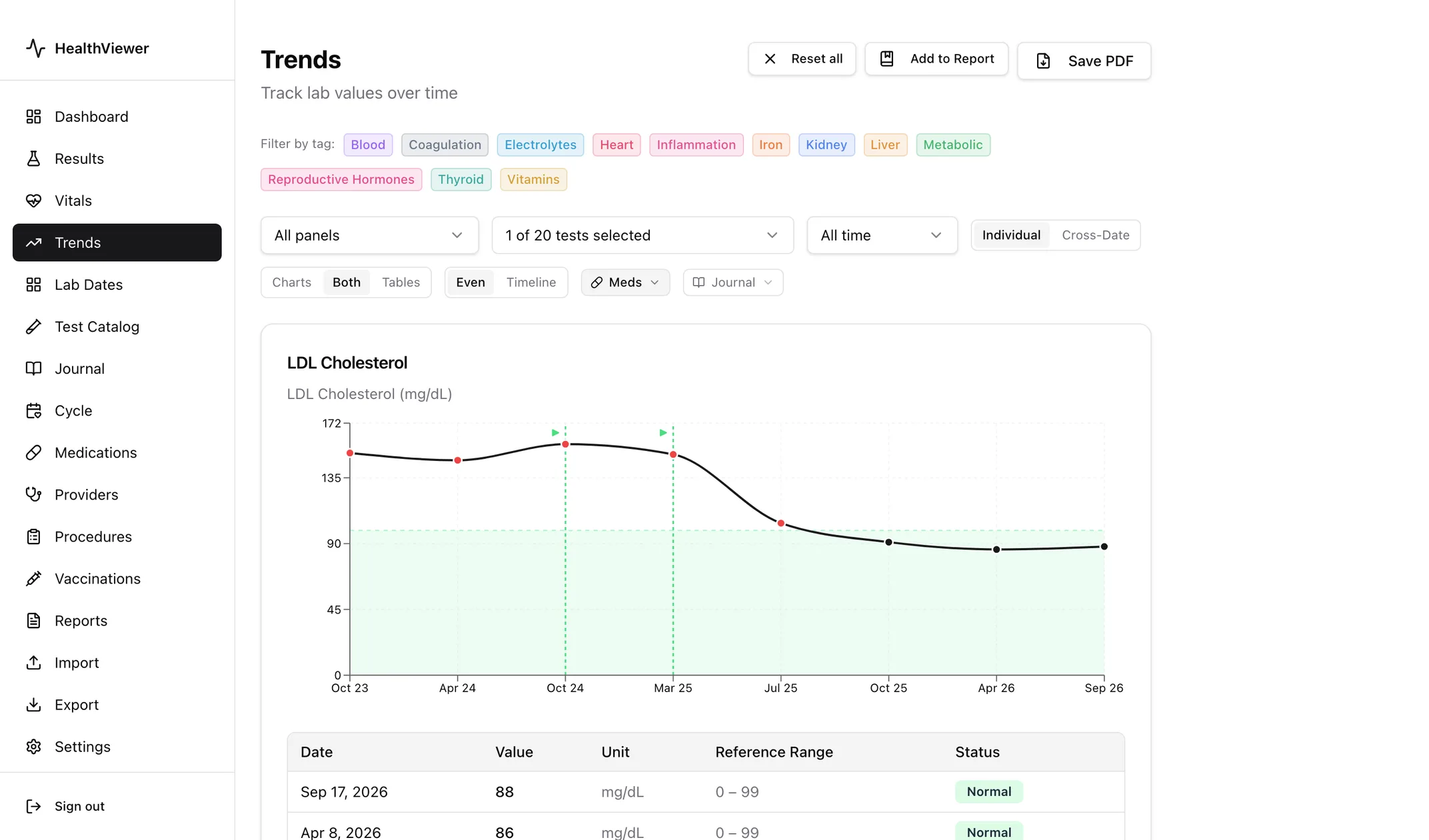
Lab results tracker · Mac and Windows
HealthViewer imports your lab reports, charts every test over time, and keeps your medications alongside your results — in an encrypted file on your desktop, with no cloud account, no subscription, and no data sharing.
Try free for 7 days — no payment required. Then $24.99 one time. No subscription. One personal-use license for your devices. Updates for this license tier included. Applicable taxes may be added at checkout.
Version 0.1.70, Oct 18, 2026 · Notarized by Apple · Changelog · All releases
Windows may show a SmartScreen warning because the installer isn’t code-signed yet. Click More info, then Run anyway. Why?
| Test | Result | Flag | Ref. range | Units | Since 2023 |
|---|---|---|---|---|---|
| LDL Cholesterol | 88 | 0–99 | mg/dL | Down from 160 since 2023 | |
| Hemoglobin A1c | 5.4 | 4.0–5.6 | % | Steady since 2023 | |
| TSH | 4.10 | 0.45–4.50 | uIU/mL | Up from 1.8 since 2023 | |
| Vitamin D, 25-OH | 24 | L | 30–100 | ng/mL | Low on every report since 2023 |
What it does
One result inside a reference range tells you little. The same test charted across years tells you a lot. HealthViewer is built for people who want that view without handing their data to a cloud service.
Upload lab report PDFs from Quest, LabCorp, Mayo, and others, plus CSVs and health record exports. Or connect directly to your patient portal — Epic (MyChart), Oracle Health (Cerner), athenahealth, or eClinicalWorks — where your practice supports it.
See how any lab value changes over time with interactive charts. Spot patterns across months or years of results, across every lab and every doctor who ordered them.
Keep a full record of your medications — dosage, start dates, and notes — alongside your lab data.
Your database is encrypted with AES-256 (SQLCipher) using a key derived from your password. No one else can read your data.
Export to PDF, CSV, or JSON at any time. Your data is yours — take it with you to any doctor or platform.
Works completely offline. Your data is stored and processed on your computer — nothing leaves it unless you choose to connect a patient portal or turn on optional AI features.
Privacy
HealthViewer stores all your data in an encrypted .hvdb file on your computer.
There is no account to create, no server to trust, and no subscription to manage.
| Check | Result |
|---|---|
| Cloud storage or sync | None |
| Analytics or telemetry | None |
| Account | Not required |
| AI features | Off by defaultIf you enable them, you use your own API key and provider. |
| Encryption | AES-256Full-database encryption (SQLCipher) with PBKDF2 key derivation. |
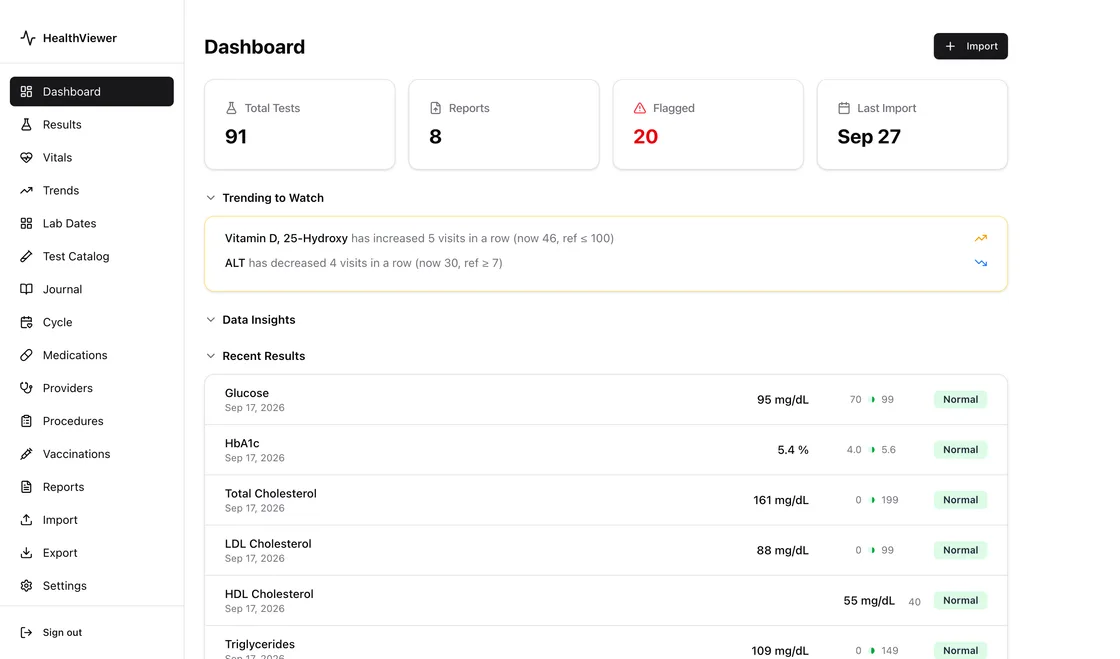
How to get your lab results out of the places that hold them, and what to do with them next.
A practical way to turn scattered lab reports into one history you can read.
What the dates, columns, reference ranges, and flags on a report mean.
Four ways to get your results out of MyChart, and which one to use for a long history.
A MyQuest PDF, Apple Health, a written request, or your doctor’s portal.
The official report from MyLabcorp, and what to do for results that are not online.
An app connection or the record download from an Oracle Health or HealtheLife portal.
The Health Records download, and what to do when your practice holds results back.
An app connection, the kp.org health summary, or a records request, region by region.
Single results, the Blue Button report, and the CCD from My HealtheVet on VA.gov.
Portals, phone apps, trackers, and spreadsheets compared.
Try HealthViewer free for 7 days — no payment required. Then $24.99 one time. No subscription. One personal-use license for your devices. Updates for this license tier included. Applicable taxes may be added at checkout.